
Latest Version
Xournalpp Developers
Finance
Linux
Free
com.github.xournalpp.xournalpp
Report a Problem
More About Xournal++
An Editorial Review of Xournal++ Handwritten Note-Taking Software
For professionals, students, and creatives who prefer the tactile feel of writing by hand but need the organization of a digital workspace, finding the right software is crucial. Xournal++ handwritten note-taking software is a highly flexible, open-source application designed to bridge the gap between traditional paper and digital efficiency. Developed by the Xournalpp Developers, this C++ based application delivers exceptional speed, responsiveness, and a rich feature set tailored for stylus-driven workflows on Linux and other desktop platforms.
What You Can Actually Do with Xournal++
Unlike basic drawing programs, this application is engineered specifically for precise document interaction and deep note-taking. Here is a practical look at how you can integrate it into your daily routine:
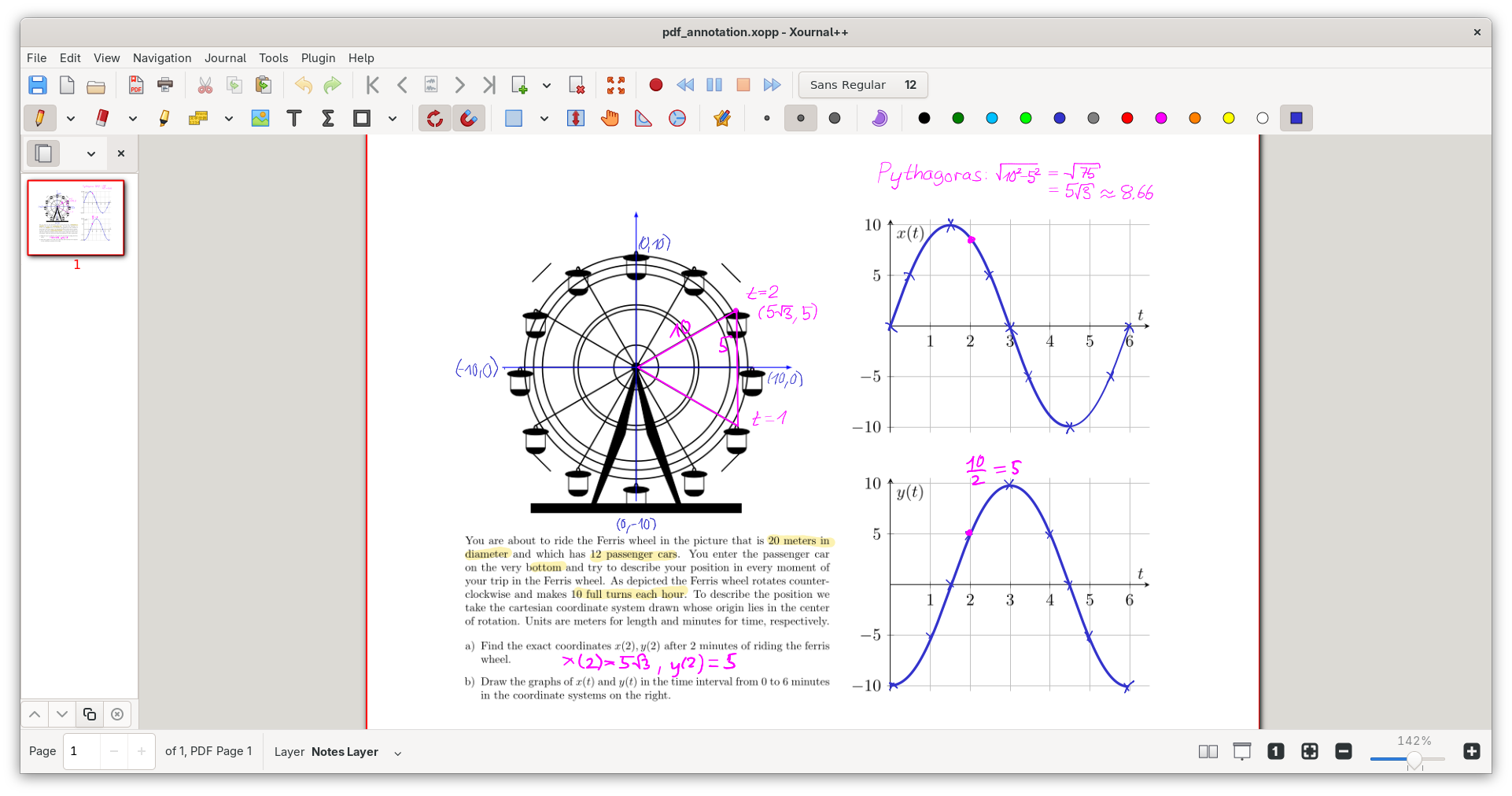
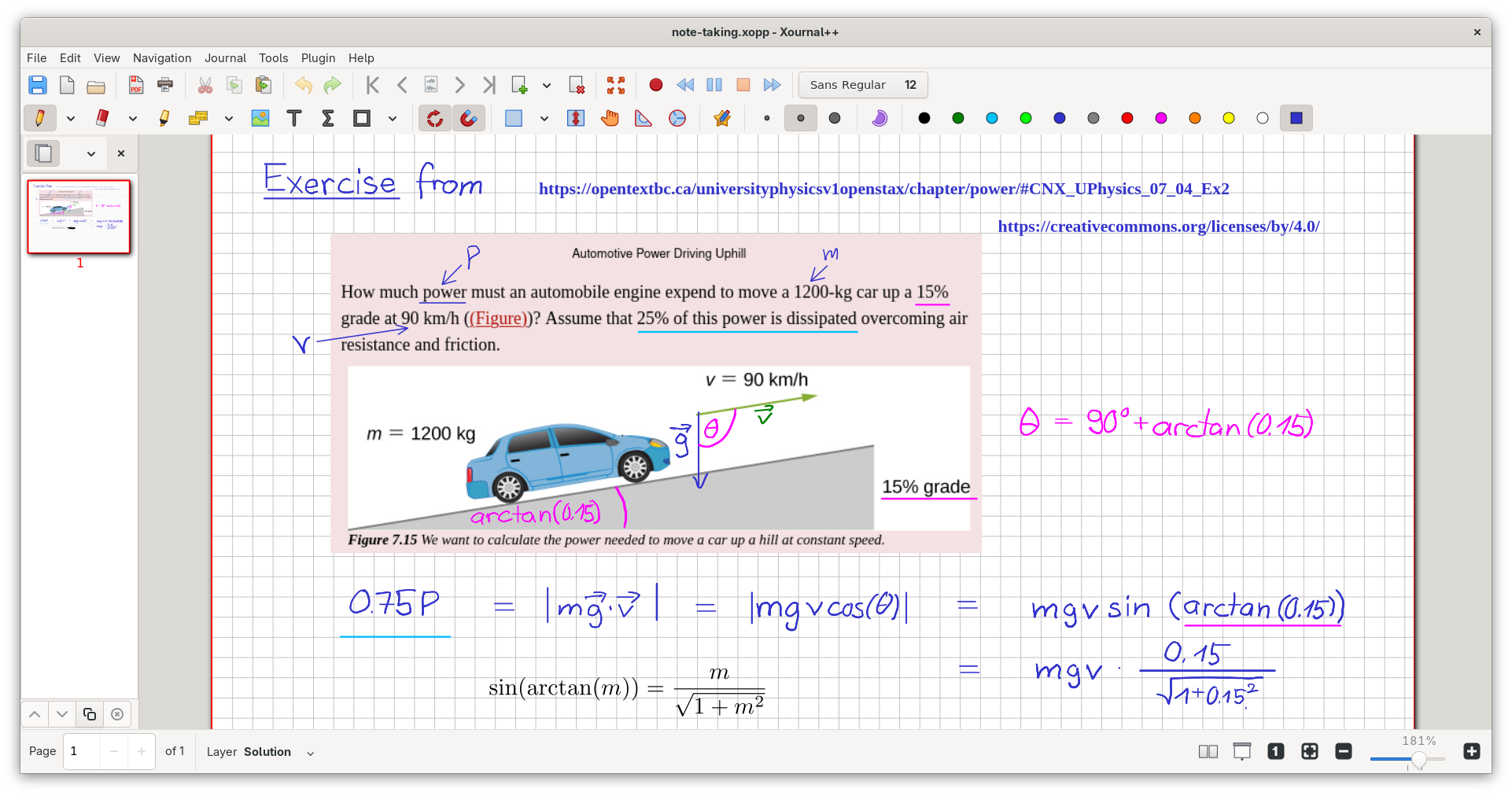
- Annotate and Mark Up PDFs: You can import any PDF document and write directly on top of it. Highlight key passages, underline critical data, or strike through text seamlessly. You can even select and copy text directly from the background PDF document.
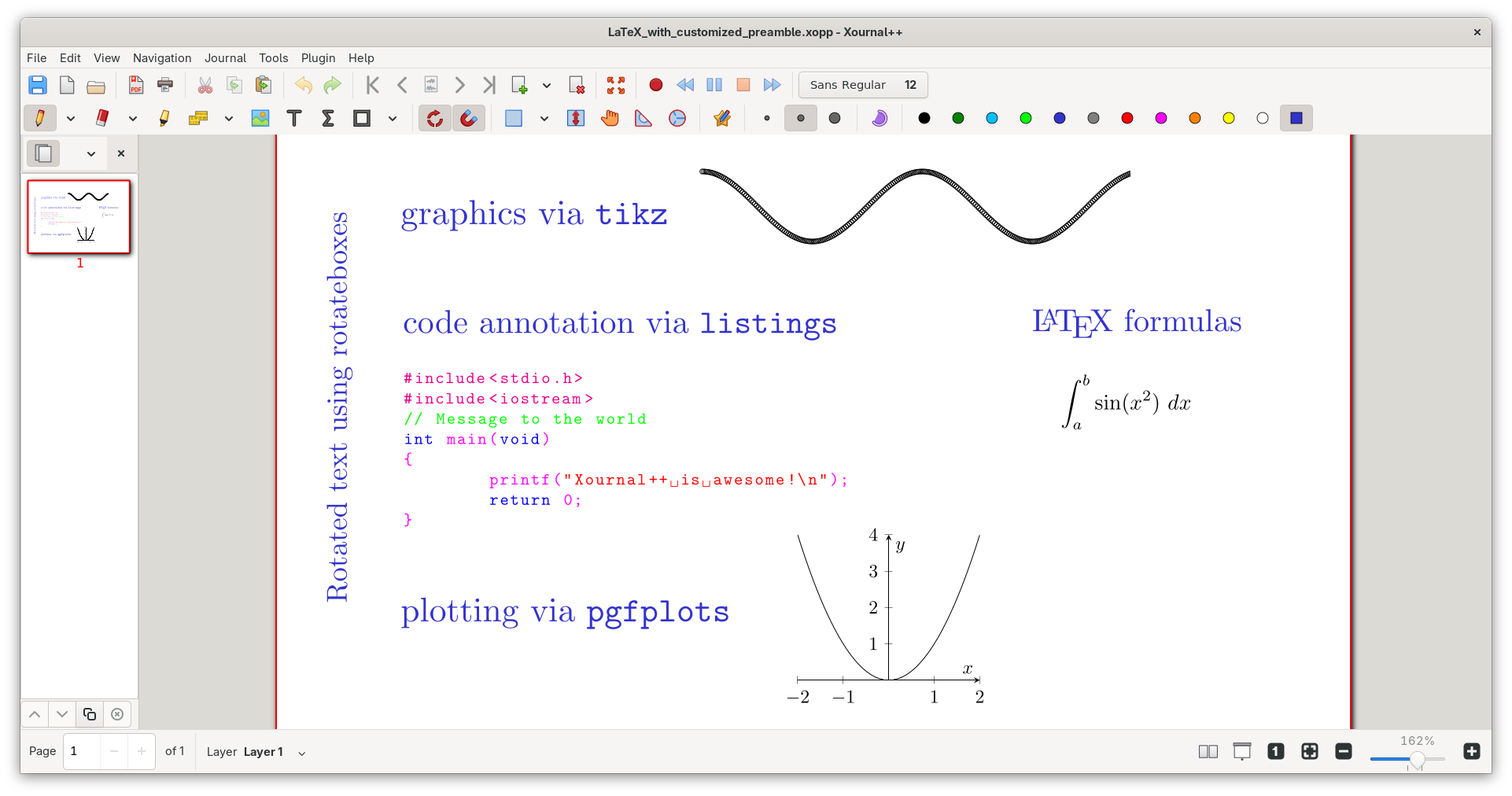
- Engage in Advanced Sketching and Math: With built-in LaTeX support, you can insert complex mathematical equations and formulas using a resizable editor with syntax highlighting. Use the virtual compass, set-square, and shape-drawing tools to create precise geometric diagrams.
- Record Audio While Taking Notes: Perfect for lectures and meetings, you can record audio directly within the app. The audio playback syncs with your handwritten strokes, allowing you to recall exactly what was being said when you wrote a specific note.
- Customize Your Workspace: Map different tools, colors, and brush sizes directly to your stylus or mouse buttons. The interface supports multiple toolbar configurations to optimize your screen space whether you work in portrait or landscape mode.
Engineered for Stylus and Tablet Users
The core strength of Xournal++ handwritten note-taking software lies in its excellent hardware integration. It fully supports pressure-sensitive styluses and digital drawing tablets from leading manufacturers like Wacom, Huion, and XP-Pen. To ensure your handwriting looks polished, the software features input stabilization, which smooths out shaky strokes. Whether you are using a grid background for engineering notes, a musical staff for composing, or plain whiteboarding space for brainstorming, the application adapts instantly to your creative demands.
Organization and Exporting
Managing large notebooks is simplified through a sidebar that offers page previews, PDF bookmarking, and layered editing. When your work is complete, you can export your notes to standard formats like PDF, PNG, or SVG using either the graphical interface or the command line for automated workflows. With robust auto-save and automatic backup tools, your intellectual property remains safe from unexpected interruptions.
Get the App
If you are ready to elevate your digital handwriting experience, you can explore this powerful tool further. Head over to the official Flathub store page to learn more about its installation and start organizing your handwritten notes today.
Rate the App
User Reviews












Popular Apps










Editor's Choice